Learn More
Everything you need to know to start creating your own tales.


What is Talebard?
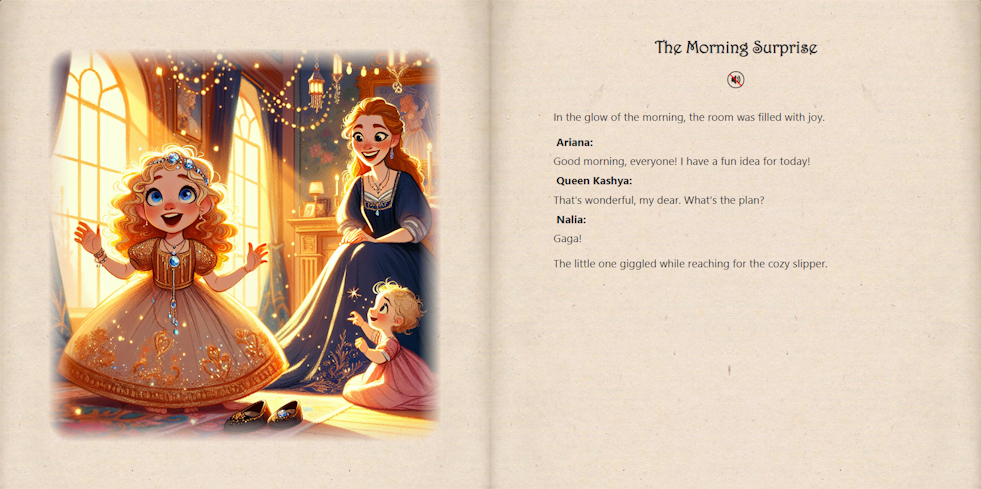
Talebard is your creative storytelling companion. With Talebard, you can read and listen to classic tales or create your very own custom stories with unique characters, plot twists, and adventures! Whether it's a time-honored classic like Red Riding Hood or a brand-new creation, Talebard brings stories to life in a fun and interactive way.
Enjoy listening to the story being read aloud, making it perfect for bedtime or for little ones to explore on their own. You can even add your own twists to classic tales!
How to Create Your Own Story
Ready to build your own story adventure? Here's how:
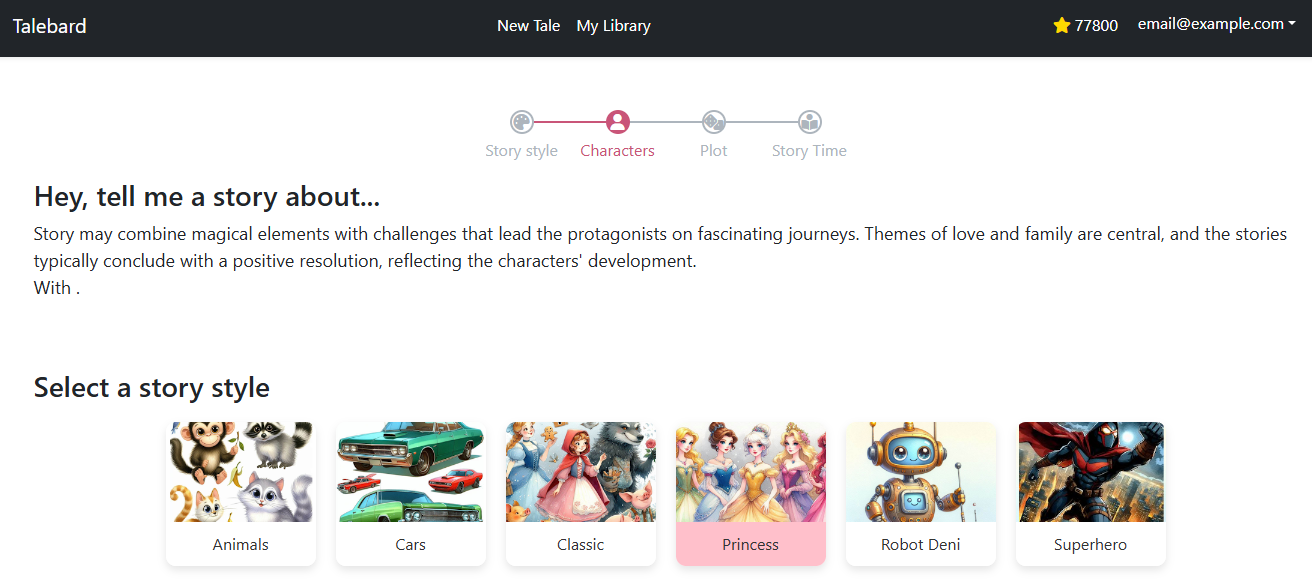
- Click on "New Tale" and choose your story style.
- Select at least one character and a plot to create your own unique tale.
- Hit "Story Time!" and see how many coins your story will cost.
Make sure you have enough coins before you start. Your current coin balance is displayed next to a gold star at the top of the page. Story creation takes a few minutes, so please be patient!
Tip: Click on the gold star to acquire more coins and fuel your creativity!
Your Story Library
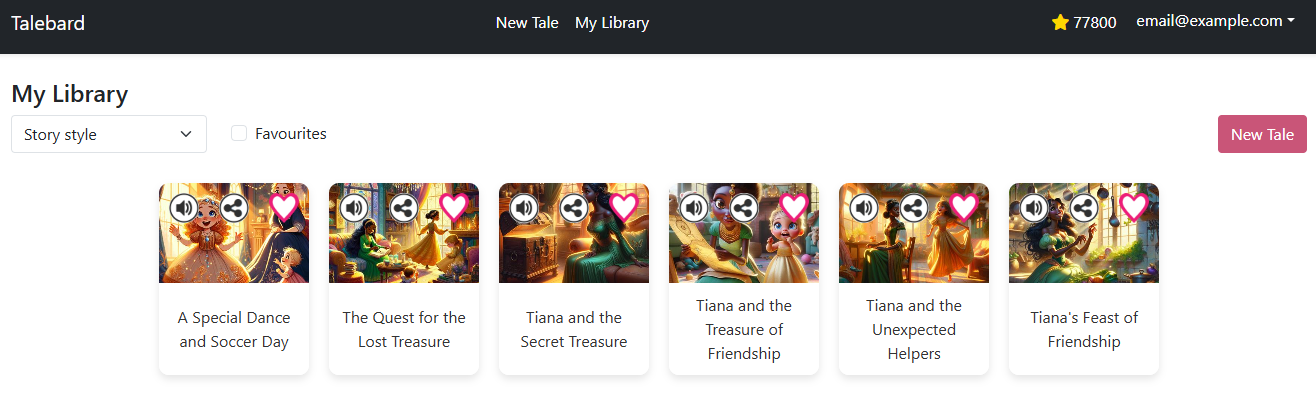
Once you've created your stories, head over to your "My Library" to browse all your tales — both public ones and those you've created. You can filter stories by style, favorites, or even share them with friends!
Tips:
- Click on a story's title to read it.
- Tap the heart icon to add stories to your favorites.
- Click the Share icon to get a link and share the magic with others!
Reading a Story
When you open a story, the adventure begins with a cover page. Touch or click it to enter the world of the story!
To navigate, click on the left page to go back and the right page to move forward.
Audio Narration: Enable narration by clicking on the "Speaker" icon to listen as the narrator guides you through the pages.
At the last page, you can choose to read it again or head back to your library to explore more tales.